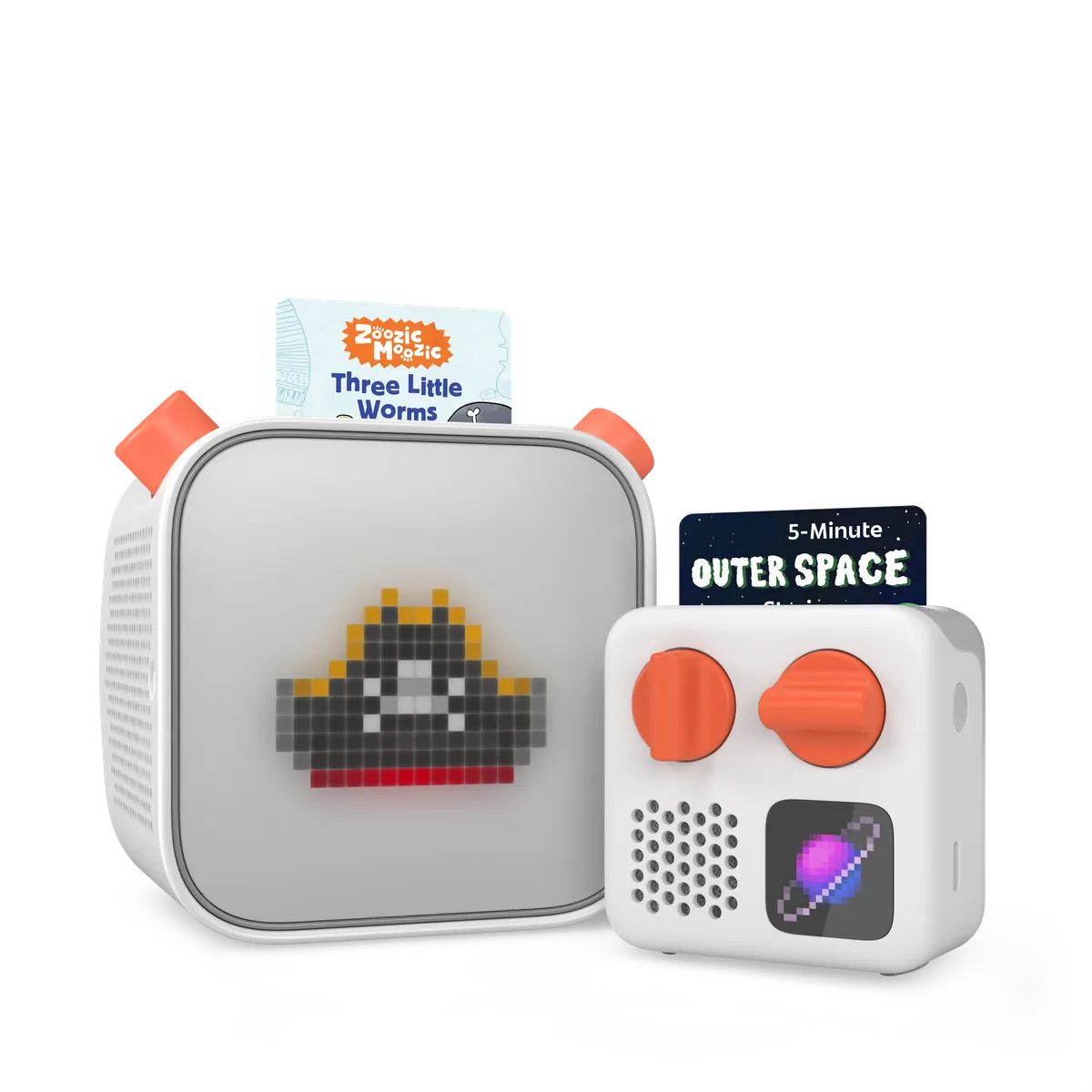
I would buy a Yoto Player for a child who already loves to hear stories. I would not buy one just to make a child love them. That small gap matters. The player is only the first part of the bill.
The appeal is easy to see. A child picks a card, puts it in the slot, and starts a story. There is no feed to scroll. No parent has to hand over a phone. The child gets a choice that has a clear end.
A quick look
| What matters | What to know |
|---|---|
| Best fit | Children who like stories, songs, and choosing for themselves |
| Age guide | Yoto lists ages 3 to 12 and up |
| Setup | An adult, the Yoto app, and Wi-Fi |
| Main extra cost | Cards and any case or headphones you choose |
| Main drawback | New audio needs time to download before offline use |
The best feature is the simple choice
The third-generation player has a small pixel display and two large controls. A child can change the volume or skip through tracks. The cards make an audio library visible. A picture is much easier to choose than a title buried in a phone app.
I like that the choice is small. Put a few cards in a basket and the child can see what is there. A huge stack may look like better value, but it can turn a quiet moment into a hunt for one lost card.
Yoto's current US page lists a night light, a clock, a room thermometer, and an OK-to-wake setting. It also says the player has no camera, microphone, or ads. Those are useful design choices. They do not mean the connected service collects no data, so use the parent settings with care.
Set it up before the trip
The card is a key to audio. It is not a tiny drive with the whole story stored on it. That explains a common first-day snag: a new card may work at home, then fail in the car if the download has not finished.
Yoto's offline listening guide says the first play needs an internet connection. Once the audio is saved on the player, the card can start it offline. Live radio and other streamed content still need a connection.
My advice is to set up the player well before a birthday or trip. Play each new card briefly, then leave the player on, connected, and idle so it can finish its work. Check the download status in the app. Test it away from Wi-Fi before you pack it.
That is a one-time task for each new download, but it is still a task. A family that wants a gift to work the moment the box opens should plan for it.
Count the cards, not just the player
A good buying rule is to price a small, complete setup. Add the player, three cards your child would choose, and only the extras you need. Check the current total at checkout, since bundles and offers change.
I would start with one familiar story, one music card, and one longer story to grow into. A favorite short story heard ten times can be worth more than a long collection that never gets played.
The included Make Your Own card gives you another path. You can link your own suitable audio, such as a family member reading a story they have permission to record. Yoto's first-card guide explains how cards and the player work together. Do not assume that any audiobook you can stream elsewhere can be copied to a card.
A paid club is a separate decision. Before joining, compare what you would use with what you would buy on its own. A large library only saves money when it replaces purchases you would have made.
What families like, and where the fit can fail
In a June 2026 parent discussion, several owners praised bedtime and car use. Others focused on the high starting cost. These are personal reports, not proof that the same routine will suit every child.
The useful point is the setting. A child who likes to draw while hearing a story has a clear use for the player. Some children want you to sit beside them and read. They may still want that shared time. The player can add another way to hear a book; it need not replace reading together.
I would also keep a quiet corner quiet. There is no need to fill each meal, car ride, or play session with sound. Let the child stop a story and choose silence.
Who should buy it, and who should wait?
Buy it if your child enjoys audio, wants control of familiar stories, and has a regular place to use it. You need to be willing to do the setup. Keep the card library small at first.
Wait if the cost would squeeze out books, art supplies, or toys your child already loves. Try playing a few stories through a speaker first. Notice whether the child asks for them again. That costs less than buying hardware to test the idea.
For a child who learns best by building and moving, I would start with our educational toy picks for three-year-olds. Audio and hands-on play solve different needs.
My verdict
Yoto Player earns its place when it gives a child a simple, repeatable way to choose audio. The cards, controls, and lack of a scrolling feed are the draw. A huge card collection is not.
Start small, finish the downloads, and see what gets used. For older children ready for a more focused learning task, our Beast Academy review looks at a very different kind of choice: whether hard math puzzles feel inviting or tiring.